

Install Apache Solr on a Haystack Website using Managed Search
Overview
The SearchStax Managed Search service can be used to install Apache Solr on a Haystack website.
Django and Haystack
Django is an open-source Python Web framework that encourages rapid website development and easy integration with an underlying database.
If your website was built using Django, you should investigate the Haystack extension. It integrates with Django to provide views, templates, and APIs for a website search page connected to an underlying search engine such as Apache Solr. There are page templates for query-only and faceted search.
Haystack and Solr
Haystack is compatible with any newly-created SearchStax deployment.
The Haystack documentation indicates that Haystack 3.3.0 (the latest stable version) is compatible with:
- Solr 4.x–6.x: Compatible with minimal configuration issues.
- Solr 7.x–8.x: Works if you manage
schema.xmlmanually. - Solr 9.x+: Possibly workable as long as you use classic schemas and allow for Solr-side feature changes, but not officially supported.
SearchStax Managed Search supports Solr 6-9, so you have your choice of Haystack/Solr combinations.
Connecting to Solr
See Getting Started with Haystack – Configuration for the details of configuring Haystack. At one point you must edit python.py to add the URL of the Solr instance.
HAYSTACK_CONNECTIONS = {
    'default': {
        'ENGINE': 'haystack.backends.solr_backend.SolrEngine',
        'URL': 'https://ss123456-us-west-1-aws.searchstax.com/solr/collection-name/'
    },
}
Use the Solr HTTP Endpoint URL from your SearchStax dashboard.
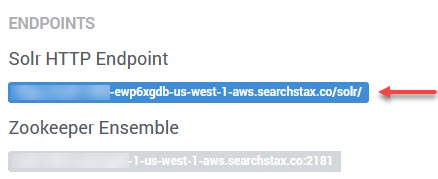
Be sure to append the collection name to the endpoint URL.
Questions?
Do not hesitate to contact the SearchStax Support Desk.